

Common POS Compliance Mistakes in Pakistan | POS Guide
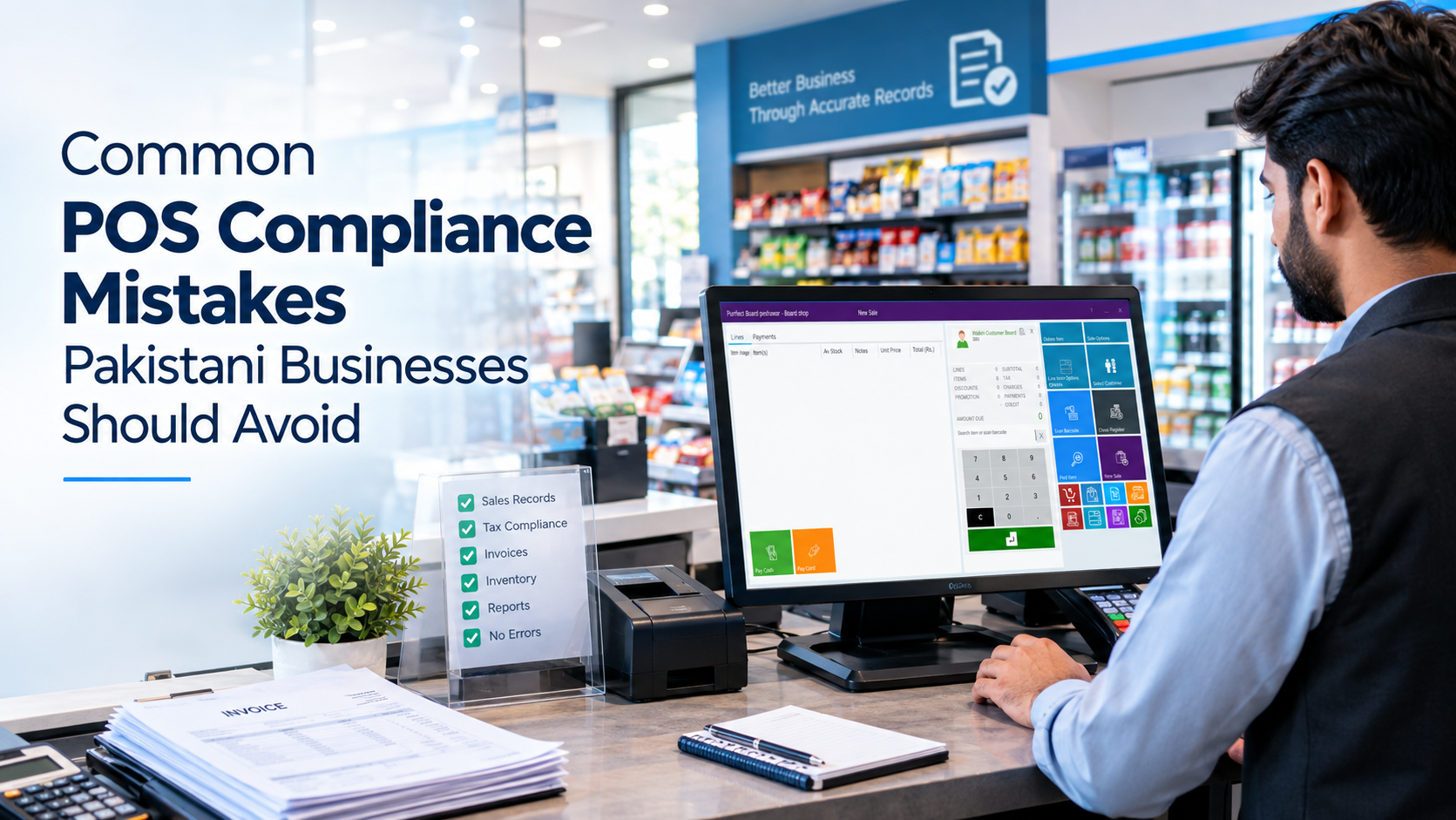
Introduction
For many Pakistani businesses, a Point of Sale (POS) system is no longer simply a tool for calculating bills and printing receipts. Modern POS systems can connect sales transactions with inventory, invoices, customer records, financial reports, and—in applicable cases—tax and government reporting requirements.
As businesses become more digitally connected, POS compliance in Pakistan has become an important consideration for retailers, restaurants, supermarkets, pharmacies, wholesalers, and other businesses.
The Federal Board of Revenue (FBR) maintains a POS integration framework for relevant retailers and has published legal provisions covering POS integration and electronic invoicing. As of 31 August 2026, FBR's published data showed 13,731 POS integrations covering 37,770 branches, including Tier-1 retailers, textile and leather retailers, and restaurants. (FBR)
At the same time, provincial authorities can have their own requirements. For example, the Sindh Revenue Board (SRB) identifies specific categories of restaurants in Sindh that are required to integrate their POS systems for live reporting of sales. (SRB)
This means that choosing software is only one part of the process. Businesses also need to understand their applicable requirements, configure their systems correctly, maintain accurate records, and review their processes regularly.
Here are some of the most common POS compliance mistakes in Pakistan that businesses should avoid.
What Does POS Compliance Mean in Pakistan?
POS compliance broadly refers to operating a point-of-sales and invoicing process in accordance with the tax, reporting, record-keeping, and integration requirements applicable to a particular business.
However, there is no single compliance setup that applies identically to every Pakistani business.
Requirements can depend on factors such as:
- Business type
- Industry
- Tax registration status
- Business location
- Province
- Nature of transactions
- Applicable federal requirements
- Applicable provincial requirements
- Whether the business falls within a notified category
For example, FBR has specific provisions concerning POS integration and electronic invoicing, while provincial authorities such as SRB have separate requirements for certain services and businesses. (FBR)
Therefore, businesses should first determine which requirements apply to them rather than assuming that another company's POS setup will automatically be suitable for their own operations.
10 Common POS Compliance Mistakes Pakistani Businesses Should Avoid
- Using a POS System Without Understanding Applicable Requirements
One of the first mistakes a business can make is purchasing or installing a POS system without first determining what compliance requirements apply to it.
A small retail shop, a multi-branch restaurant, a registered manufacturer-retailer, and a large retailer may not have identical obligations.
Businesses should be established:
- Their tax registration status
- Applicable federal requirements
- Applicable provincial requirements
- Whether POS integration is required
- Whether electronic invoicing requirements apply
- What information must appear on invoices
- What records need to be maintained
- Whether an approved or licensed integration route is required
FBR's current electronic invoicing guidance states that registered people notified by FBR are required to integrate their POS, ERP, or other invoicing systems through a licensed integrator. (FBR Urdu)
The important point is simple: compliance should be understood before the system is configured, not after a problem occurs.
- Entering Incorrect Tax Information
Incorrect tax configuration is another common source of POS errors.
A POS system may contain thousands of products, services, prices, tax categories, and transaction types. If the underlying information is incorrect, the resulting invoices and reports can also be incorrect.
Common problems include:
- Incorrect tax rates
- Incorrect product categories
- Incorrect tax treatment
- Incorrect customer information
- Incorrect pricing
- Incorrect discounts
- Incorrect tax calculations
Businesses should regularly review their product and tax configuration, particularly when applicable tax rules or business circumstances change.
The objective should not simply be to make the POS calculate a number. The system should be configured according to the requirements applicable to the business.
- Failing to Maintain Accurate Sales Records
A POS system is only useful for compliance if the underlying sales information is accurate.
Businesses sometimes rely on manual adjustments, informal records, handwritten notes, or transactions that are entered later into the system. Such practices can create discrepancies between actual sales and recorded sales.
Accurate records help businesses:
- Reconcile daily sales
- Track revenue
- Monitor inventory
- Prepare reports
- Identify discrepancies
- Maintain transaction history
- Support accounting processes
FBR's POS materials describe requirements for real-time verifiable electronic sales tax invoices for integrated people and specify record-retention requirements. (FBR)
For businesses subject to such requirements, maintaining reliable digital transaction records is therefore an important part of the overall process.
- Issuing Incomplete or Incorrect Invoices
Another common mistake is treating the receipt as merely a piece of paper showing the amount paid.
Depending on the applicable requirements, an invoice may need specific information relating to the transaction, taxpayer, tax, product, or invoice itself.
FBR's POS documentation, for example, lists information such as tax-exclusive value, sales tax rate, sales tax amount, discount, invoice reference number, HS code, unit of measurement, and other applicable information among the particulars associated with electronic invoices. (FBR)
Common invoice problems can include:
- Missing required information
- Incorrect calculations
- Duplicate invoice records
- Incorrect invoice references
- Wrong tax information
- Inconsistent customer details
- Improper handling of returns or cancellations
Businesses should therefore periodically test their invoices rather than assuming that the POS configuration is automatically correct.
- Ignoring FBR or Provincial Integration Requirements
Another major mistake is assuming that every POS system has the same integration requirements.
FBR has an established POS integration framework, including specific Sales Tax General Orders concerning Tier-1 retailers. (FBR)
FBR also currently provides electronic invoicing guidance stating that notified registered people must integrate their POS, ERP, or invoicing system with FBR through a licensed integrator. (FBR Urdu)
Provincial requirements can also differ.
For example, SRB states that certain categories of restaurants in Sindh—including restaurants in hotels, international restaurant franchises, restaurants with more than one branch in Sindh, certain mall outlets, restaurants using online marketplaces, and restaurants exceeding a specified turnover threshold—are required to integrate POS systems for live sales reporting. (SRB)
The lesson for businesses is clear:
Do not assume that because one business is integrated—or not integrated, the same setup automatically applies to your business.
- Poor Inventory and Sales Synchronization
POS compliance is not only about tax information.
A disconnect between sales and inventory can create significant operational and accounting problems.
For example, suppose a store sells 20 units of a product, but only 15 units are deducted from its inventory because five transactions were processed manually.
The business may then have:
- Incorrect inventory figures
- Incorrect sales reports
- Difficulties reconciling stock
- Incorrect profitability calculations
- Greater risk of unexplained discrepancies
A well-managed POS environment should connect sales transactions with inventory records wherever the business's workflow requires it.
Regular reconciliation is still important because technology does not eliminate the possibility of human or system errors.
- Relying Too Heavily on Manual Data Entry
Manual data entry increases the possibility of mistakes.
Employees can accidentally:
- Enter the wrong quantity
- Enter the wrong price
- Select the wrong product
- Enter duplicate transactions
- Apply for an incorrect discount
- Enter incorrect customer information
- Record a transaction under the wrong category
Automation can reduce many of these errors, but it cannot eliminate them completely.
Businesses should therefore combine automation with:
- Employee training
- User permissions
- Approval procedures
- Regular reconciliation
- Exception reporting
- Periodic system reviews
The goal is to make the correct process the easiest process for employees to follow.
- Failing to Keep Proper Digital Records and Backups
A POS system contains valuable business information.
Depending on the business, this can include:
- Sales transactions
- Invoice information
- Product data
- Inventory records
- Customer information
- User activity
- Financial reports
- Branch-level information
Losing this information can create operational and accounting difficulties.
Businesses should establish appropriate procedures for:
- Regular backups
- Secure storage
- User access control
- Data recovery
- System maintenance
- Record retention
For applicable FBR-integrated electronic invoices, the POS booklet states that the invoice records are to be retained electronically for six years. (FBR)
Record-retention obligations should always be checked against the rules applicable to the business.
- Using Outdated or Poorly Configured POS Software
Installing POS software once and never reviewing it again can create problems over time.
Businesses evolve. They add products, branches, employees, payment methods, suppliers, and sales channels. Regulatory and technical requirements can also change.
FBR's legal provisions page, for example, lists multiple updates and notifications concerning POS integration and electronic invoicing. (FBR)
Businesses should therefore periodically review:
- POS software versions
- Tax configuration
- Invoice formats
- Integration status
- Reporting functions
- User permissions
- Backup procedures
- Hardware
- Branch connectivity
- Regulatory requirements
An outdated system may continue to operate while no longer meeting the business's current operational or compliance needs.
- Treating POS Compliance as a One-Time Setup
Perhaps the biggest mistake is thinking that compliance ends once a POS system has been installed and connected.
Businesses need an ongoing process.
New branches may be opened. Products and prices change. Employees change. Tax configurations may need updating. Software may require upgrades. Government authorities may issue new rules, notifications, or technical requirements.
For example, FBR continues to publish updates and guidance related to POS integration and electronic invoicing. (FBR)
Businesses should therefore periodically ask:
Is our POS still configured correctly for our current business and applicable requirements?
That question can help identify problems before they become larger operational issues.
How POS Software Can Help Reduce Compliance Errors
The right POS software can provide a structured environment for recording and managing transactions.
Depending on the system and the business's requirements, useful capabilities can include:
Automated Invoice Generation
Automated invoices reduce repetitive manual calculations and help standardize transaction records.
Accurate Transaction Recording
Each transaction can be recorded in a centralized system, making sales reconciliation easier.
Tax Configuration
Businesses can configure applicable tax information within the POS instead of calculating everything manually.
Sales Reporting
Detailed reports can help management identify discrepancies and review business performance.
Inventory Synchronization
Connecting sales with inventory can reduce the gap between physical stock and system records.
User Permissions
Different employees can be assigned appropriate system access, reducing unauthorized changes.
Audit Trails
Where available, audit trails can help businesses review changes and user activity.
Data Backups
Regular backups provide additional protection against data loss.
Multi-Branch Reporting
Businesses operating multiple locations can consolidate information and compare branch-level performance.
Integration Capabilities
Where integration is required, businesses should select systems that support the applicable technical and regulatory requirements.
However, POS software alone does not guarantee legal or tax compliance. Businesses remain responsible for understanding their obligations and should verify requirements with the relevant authorities or qualified tax professionals.
Choosing a POS System with Compliance in Mind
When selecting a POS system in Pakistan, businesses should look beyond the checkout screen.
Important considerations can include:
Reliability
The system should be stable enough for the business’ daily transaction volume.
Accurate Transaction Recording
Sales should be recorded consistently and be easy to reconcile.
Reporting
The system should provide useful sales, inventory, financial, and management reports.
Tax Configuration
The software should allow appropriate configuration for the business's applicable tax requirements.
Integration Capabilities
Businesses subject to integration requirements should confirm that the system supports the required integration route.
Inventory Management
Inventory and sales should be connected where required by the business workflow.
Security
User access should be controlled appropriately.
Backup Functionality
Businesses should have a clear strategy for protecting important data.
Multi-Branch Support
Growing businesses should consider whether the software can handle multiple branches.
Scalability
The system should be capable of supporting future business growth.
Vendor Support
Technical support can become particularly important when configuration or integration issues arise.
Regular Updates
Software should be maintained and updated as required.
The best POS configuration is not necessarily the one with the longest feature list. It is the one that fits the business's operational needs and applicable requirements.
Why POS Compliance Matters Beyond Taxes
Compliance is an important consideration, but accurate POS data can also improve everyday business management.
Better Financial Visibility
Management can use reliable sales data to understand revenue and transaction trends.
Improved Inventory Control
When inventory and sales are connected, businesses can more easily identify stock movements and discrepancies.
Better Sales Analysis
POS reports can help businesses identify popular products, busy periods, branch performance, and sales patterns.
Greater Accountability
User permissions and transaction histories can help businesses establish clearer accountability.
Fraud Reduction
Better controls and transaction records can make certain unauthorized activities easier to identify.
Better Business Planning
Reliable historical data can support purchasing, staffing, expansion, and financial planning.
Multi-Branch Management
Centralized reporting can give management a clearer view of different business locations.
Easier Audit Preparation
Well-organized transaction records can make it easier to locate information when documentation is required.
In other words, POS compliance should not be viewed only as a government requirement. Accurate digital records can also become a valuable business management resource.
Frequently Asked Questions
- What is POS compliance in Pakistan?
POS compliance refers to operating a point-of-sale and invoicing process according to the applicable tax, reporting, integration, and record-keeping requirements for a particular business.
The requirements can vary according to business type, tax status, industry, province, and applicable federal or provincial rules.
- Is every POS system required to be integrated with FBR?
Not every business should be assumed to have identical POS obligations.
FBR has specific POS integration requirements and separate electronic invoice provisions applicable to notified or registered people under the relevant rules. Businesses should determine whether their category is covered. (FBR)
- What are the most common POS compliance mistakes?
Common mistakes include incorrect tax configuration, incomplete invoices, inaccurate sales records, failure to understand applicable integration requirements, poor inventory synchronization, excessive manual data entry, inadequate backups, outdated software, and treating compliance as a one-time task.
- How can businesses maintain accurate POS records?
Businesses can improve record accuracy by using properly configured POS software, training employees, restricting unauthorized access, reconciling sales regularly, synchronizing inventory, maintaining backups, and reviewing transaction reports.
- Can POS software help with tax compliance?
Yes, POS software can support accurate transaction recording, invoice generation, tax configuration, reporting, and integration where applicable.
However, software does not automatically guarantee compliance. Businesses must still understand and meet the requirements applicable to them.
- What should businesses check before choosing POS software?
Businesses should evaluate transaction recording, reporting, tax configuration, integration capabilities, inventory management, security, backups, multi-branch support, scalability, vendor support, and software updates.
They should also confirm whether the provider can support the specific compliance requirements applicable to their business.
- How often should businesses review their POS compliance setup?
There is no universal review interval that applies to every business. Businesses should review their setup whenever there are significant changes to their operations, tax status, branches, software, or applicable regulatory requirements—and conduct periodic internal checks as part of normal management.
Conclusion
POS compliance is becoming an increasingly important part of digital business management in Pakistan. But compliance is not simply about installing software and connecting a computer to a cash counter.
Businesses need to understand the requirements that apply to them, configure their systems correctly, maintain accurate sales and invoice records, protect their data, and regularly review their POS processes.
The most common POS compliance mistakes in Pakistan—from incorrect tax information and incomplete invoices to poor record-keeping and outdated software—can often be reduced through better processes, employee training, appropriate technology, and regular system reviews.
For Pakistani businesses, the objective should be straightforward:
Record transactions accurately. Configure the system correctly. Keep reliable records. Monitor applicable requirements. Review the setup regularly.
A POS system should not merely process sales. When properly implemented, it can become an important part of a business's broader system for sales management, inventory control, reporting, accountability, and organized record-keeping.
Before making changes to a POS or tax setup, businesses should verify the current requirements applicable to their specific circumstances with the relevant government authority or a qualified tax professional.
Author Details

Syed Hussain Raza
Syed Hussain Raza is a Customer Succession and Operations Lead who drives revenue growth by connecting smart sales strategies with smooth operational workflows to eliminate bottlenecks and maximize client retention.
Related Posts

10 Sep,2026
Restaurant Management: Improve Efficiency, Sales & Customer Experience
Restaurant Management: How Smart Technology Can Improve Efficiency, Sales and Customer Experience
Running a restaurant successfully...
3 Sep,2026