

FBR Compliance in Pakistan: Digital Invoicing & POS
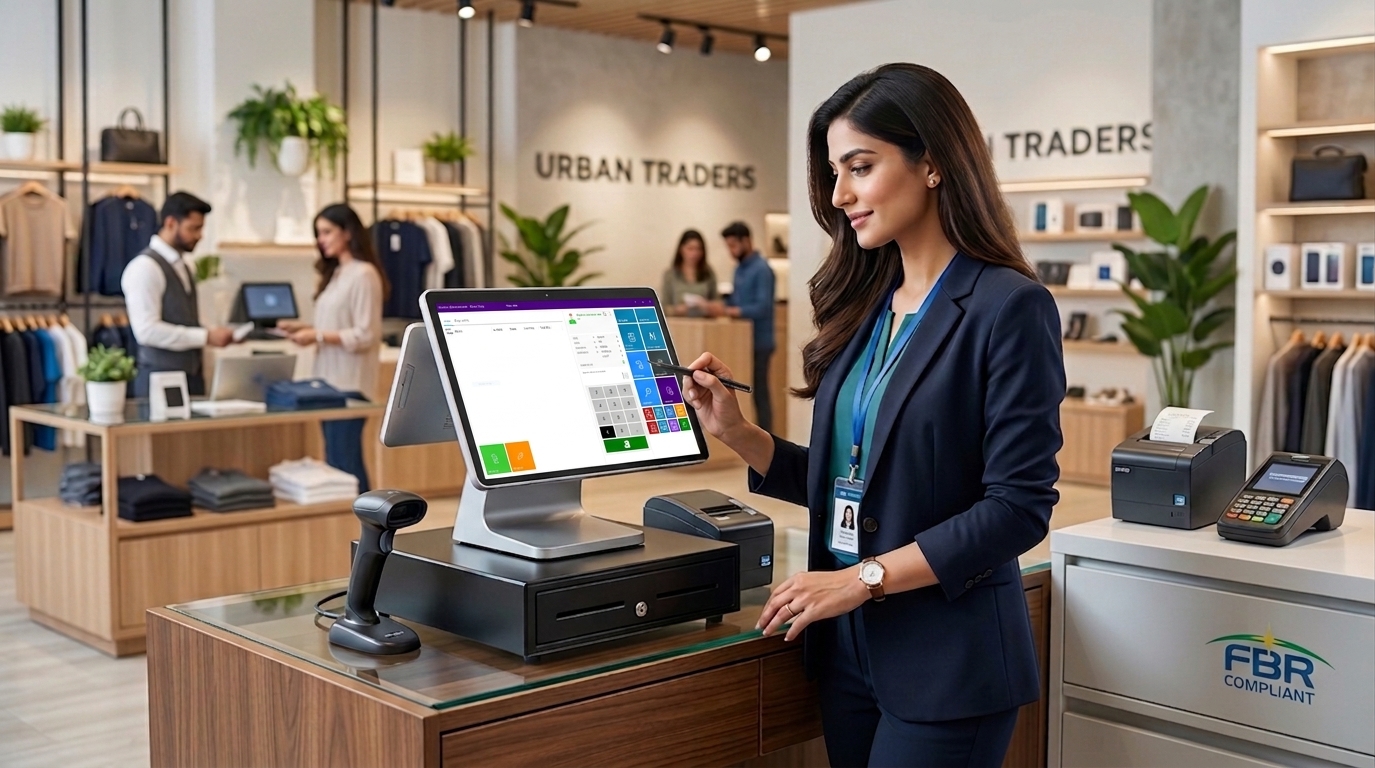
FBR Compliance in Pakistan: Latest Digital Invoicing, POS Integration and Tax Requirements
Introduction: What Is FBR Compliance?
For businesses operating across Pakistan, FBR compliance represents the systematic fulfillment of statutory tax, invoicing, reporting, and record-keeping obligations enforced by the Federal Board of Revenue under the Sales Tax Act, 1990, and the Income Tax Ordinance, 2001. Compliance requires registered businesses to calculate applicable taxes accurately, issue compliant sales tax invoices, submit periodic returns via the IRIS portal, and maintain verifiable transaction trails for audit verification.
The landscape of Pakistani business administration has undergone a major structural shift toward digital tax administration. Manual registers, unverified paper receipts, and standalone offline spreadsheets are rapidly being replaced by real-time electronic transaction monitoring systems.
Traditional Business Records ➔ Digital Transactions ➔ Electronic Invoicing ➔ POS/ERP Integration ➔ Better Compliance Management
As the FBR expands its digital surveillance network through Pakistan Revenue Automation (Pvt) Limited (PRAL) and licensed integrators, businesses can no longer depend on disconnected accounting methods. Transitioning to an integrated, digital business framework is no longer just an operational upgrade—it is a statutory prerequisite for doing business in Pakistan.
Why FBR Compliance Matters for Pakistani Businesses
Taking tax compliance seriously protects a business's commercial viability, customer trust, and financial stability. Operating without proper transaction reporting creates severe operational bottlenecks and financial liabilities.
- Accurate Transaction Reporting & Transparency: Automated tax handling eliminates human error during sales tax calculations, ensuring that output tax collected from customers matches what is reported on monthly IRIS filings.
- Input Tax Adjustment Preservation: Under Section 8B (6) of the Sales Tax Act, non-integrated Tier-1 retailers and notified businesses face strict restrictions on claiming input tax adjustments, which directly degrades operating margins.
- Audit Readiness & Reconciled Records: Fully digitized invoice logs create an immutable audit trail. When the FBR initiates tax audits or compliance reviews, integrated businesses can pull reconciled sales and inventory histories without administrative friction.
- Commercial Protection: Unverifiable invoices prevent corporate buyers from claiming input tax, driving B2B customers toward fully compliant suppliers.
- Avoidance of Statutory Penalties: Verified through official FBR notifications and the Sales Tax Act, non-compliance carries strict statutory penalties:
- First Failure to Integrate/Comply: Fixed penalty of Rs. 500,000.
- Continued Violation: Escalated penalty of Rs. 1,000,000.
- Repeated Defaults: Penalties ranging from Rs. 2,000,000 to Rs. 3,000,000, alongside potential business premises sealing, registration suspension, or blacklisting under Finance Act provisions.
FBR's Shift Toward Digital Tax Administration
Pakistan’s revenue ecosystem is transitioning from retrospective tax collection to real-time digital transaction verification. The objective is simple: broaden the tax base, document financial transactions across retail and wholesale sectors, and minimize fake or flying invoices.
Key pillars of this digital tax ecosystem include:
- IRIS Portal Services: Centralized web portal for filing monthly sales tax returns, income tax returns, registration profile updates, and payment slip generation (PSID).
- FBR Digital Invoicing System: Mandated under Chapter XIV of the Sales Tax Rules, 2006 (Rules 150Q–150XQ), requiring sales-tax-registered entities to issue structured electronic invoices.
- POS & ERP Real-Time Transmission: Direct integration between point-of-sale terminals or enterprise resource planning software and FBR central servers via API protocols managed by PRAL or licensed integrators.
- Automated QR-Code Verification: Instant verification of printed receipts by consumers and tax authorities via the Tax Asaan mobile app.
This digital shift makes modern POS software and business management systems essential tools for day-to-day tax administration and operations.
What Is FBR Digital Invoicing?
An FBR Electronic/Digital Invoice is a structured sales record generated, validated, and transmitted electronically in real time via an approved integration protocol. A paper receipt converted into an electronic format by scanning or copying does not qualify as an electronic tax invoice under FBR rules.
Customer Purchase ➔ POS Creates Invoice ➔ Tax Rules Applied ➔ Data Transmitted via API ➔ FBR Returns IRN & QR ➔ Customer Receives Compliant Invoice
Essential Elements of a Compliant Electronic Invoice
- Unique FBR Invoice Reference Number (IRN): A system-generated string assigned by FBR’s server upon successful transmission.
- Scannable QR Code: Printed on the receipt to allow immediate public verification.
- Seller Identification: Business name, physical address, National Tax Number (NTN), and Sales Tax Registration Number (STRN).
- Buyer Identification: Buyer name, NTN/CNIC, and STRN (mandatory for B2B transactions).
- Itemized Transaction Data: Product description, Harmonized System (HS) code, quantity, and unit price.
- Tax Breakdowns: Explicit separation of value excluding tax, standard sales tax (18%), reduced rates, further tax (where applicable for unregistered buyers), and total invoice value.
- Credit & Debit Note Tracking: Electronic adjustment notes generated through the software for returns or invoice cancellations within the allowed 72-hour modification window.
Note: Specific invoicing fields and applicability depend on the taxpayer category and applicable SROs.
What Is FBR POS Integration?
FBR POS Integration connects a business's local sales terminal or checkout counter directly to the FBR central database via secure Application Programming Interfaces (APIs), such as the DI API framework.
When a transaction is finalized at the checkout counter, the integrated POS system packages the sales details into a structured data format (JSON/XML) and transmits it instantly to the FBR server. The server validates the data and returns a confirmation payload containing the IRN and QR code data string, which the printer renders onto the customer’s receipt within seconds.
Business Benefits Beyond Tax Compliance
- Internal Fraud Control: Eliminates off-the-books cash sales and unauthorized staff discounts.
- Automated Reconciliation: Syncs counter sales directly with financial ledgers, preventing end-of-day cash drawer mismatches.
- Multi-Branch Visibility: Provides headquarters with real-time sales visibility across all registered outlets.
Latest FBR Compliance Updates in 2026
The Federal Board of Revenue has accelerated digital tax enforcement. Businesses operating in 2026 must align their operations with these regulatory updates:
Mandatory Scope Expansion under Chapter XIV (Rules 150Q–150XQ)
- What Changed: Phased integration deadlines under SRO 1852(I)/2025 and SRO 709 finalized the rollout, bringing all active sales tax registered entities into the digital invoicing ecosystem.
- Who It Affects: Public companies, large taxpayers (turnover > Rs. 1 billion), Tier-1 retailers, importers, manufacturers, distributors, wholesalers, e-commerce platforms, and notified service sectors (restaurants, hotels, courier services, clinics).
- What Businesses Should Do: Verify registration status on the IRIS portal and ensure invoicing software supports the latest DI API protocol.
Multi-Integrator & Licensed Framework
- What Changed: Taxpayers are permitted to engage one or more FBR-licensed integrators or utilize PRAL services directly for system configuration.
- Who It Affects: Any business integrating POS or ERP systems with FBR.
- What Businesses Should Do: Select an integration-ready business software provider that seamlessly interfaces with licensed integrators without requiring custom code overhauls.
Strict 72-Hour Invoice Modification Window
- What Changed: Electronic invoices can only be modified, canceled, or deleted within 72 hours of issuance through automated debit/credit notes. Revisions of the past 72 hours require formal administrative approval from the Commissioner Inland Revenue.
- Who It Affects: All integrated sales tax filers handling product returns or billing adjustments.
- What Businesses Should Do: Ensure checkout software includes built-in approval workflows and automated credit/debit note handling.
Direct Enforcement Powers under Finance Act Provisions
- What Changed: Enhanced enforcement mechanisms empower authorities to suspend STRNs, blacklist non-compliant businesses, and automatically disallow input tax claims for buyers receiving non-integrated invoices.
- Who It Affects: Non-integrated Tier-1 retailers and commercial vendors.
- What Businesses Should Do: Upgrade legacy billing machines to an FBR POS integration ready system immediately to prevent input tax disallowances.
How a Modern POS System Supports FBR Compliance
A modern business management platform acts as the operational bridge between routine retail sales and statutory compliance demands.
Sale Finalized ➔ Tax Calculated ➔ Invoice Generated ➔ Inventory Adjusted ➔ Reports Updated
- Digital Invoice Generation: Automatically formats every invoice to meet FBR presentation standards, populating seller/buyer STRNs, line-item descriptions, and official tax breakdowns.
- Seamless API Data Transmission: Connects to FBR endpoint servers to send JSON transaction payloads in real time, capturing returned IRNs without slowing down checkout queues.
- Dynamic QR Code Rendering: Generates scannable QR codes directly on thermal receipt printers or digital PDF receipts.
- Automated Tax Calculation Engine: Configures complex, multi-rate tax structures—such as standard 18% sales tax, 3% further tax for unregistered B2B buyers, product-specific FED, and withholding taxes—eliminating manual calculation errors.
- Immutable Transaction History & Audit Trails: Logs every creation, void, return, and reprint action with time-stamped user signatures to preserve data integrity.
- Integrated Inventory Tracking: Automatically links sales receipts to stock deduction, preventing inventory mismatches between physical holdings and tax records.
- Comprehensive Financial Reporting: Generates instant compliance and business insights, including:
- Daily Sales Summaries & Tax Collection Ledgers
- Purchase & Input Tax Adjustment Schedules
- Branch-Wise Revenue Performance Reports
- Itemized Margin and Discount Audits
Point of Sale as a Business Compliance Solution
Navigating complex tax compliance requires reliable technology. Modern point-of-sale solutions unify sales operations, inventory control, invoicing, and reporting into a single platform.
Rather than running separate applications for inventory control, accounting spreadsheets, and manual invoicing, an integrated platform centralizes data streams. A properly configured POS system helps businesses support applicable FBR invoicing and integration requirements while maintaining clean, organized, and audit-ready transaction records.
Key POS Features Businesses Should Look for FBR Compliance
When evaluating POS software for regulatory compatibility and operational efficiency, review this buyer's feature checklist:
- [] FBR Digital Invoicing & API Readiness: Native compatibility with prescribed FBR/PRAL digital invoicing API protocols.
- [] Automated Multi-Tax Engine: Flexible tax settings capable of handling standard rates, reduced rates, further tax, and withholding tax.
- [] Real-Time QR Code & IRN Printing: Fast generation and printing of compliance credentials on thermal receipts.
- [] Offline Queuing with Auto-Sync: Stores generated invoices locally during internet outages and automatically syncs payloads once connectivity restores.
- [] Automated Return & Credit Note Handling: Built-in workflow for processing sales returns within the allowable 72-hour compliance window.
- [] Strict Role-Based User Controls: Limits access to invoice modification, refund issuance, and back-dated changes.
- [] Centralized Multi-Branch Management: Controls inventory transfers, pricing rules, and tax profiles across multiple store locations from a single dashboard.
- [] Comprehensive Accounting & Ledger Integration: Syncs counter sales with general ledgers to streamline monthly sales tax return filings on IRIS.
Manual Invoicing vs. FBR-Ready Digital POS
|
Feature / Capability |
Manual System / Paper Books |
Modern FBR-Ready POS System |
|
Invoice Creation |
Handwritten, slow, error-prone |
Digital, automated, sub-second generation |
|
Tax Calculation |
Manual math, high risk of rate errors |
Automated multi-tier tax application |
|
FBR Verification |
Unverified, high risk of disallowance |
Real-time IRN generation & QR code printing |
|
Record Storage |
Physical binder logs, risk of damage/loss |
Encrypted cloud database with historical search |
|
Audit Preparation |
Days of manual paper retrieval |
Instant extraction of reconciled digital ledgers |
|
Input Tax Protection |
Vulnerable to statutory disallowances |
Full preservation of allowable input tax adjustments |
|
Inventory Control |
Disconnected manual physical counts |
Real-time stock deduction upon invoice generation |
|
Multi-Branch Visibility |
Fragmented end-of-month physical reporting |
Centralized live performance dashboards |
Automation does not replace a business owner's legal obligations, but it provides the tools required to maintain operational accuracy and tax transparency.
FBR Compliance Workflow Using POS
The end-to-end transaction flow within an integrated retail or commercial environment operates through the following sequence:
Step 1: Customer Selection
The checkout operator scans product barcodes or selects service items at the POS terminal.
Step 2: Automated Tax Application
Software calculates itemized base values, applicable 18% Sales Tax, FED, or Further Tax based on customer registration status.
Step 3: Real-Time Transmission
The POS packages invoice payload (JSON) and transmits it to FBR via API connection through PRAL or a licensed integrator.
Step 4: IRN & QR Code Assignment
FBR servers validate data payload, assign a unique IRN, and return a response packet containing receipt authorization details.
Step 5: Receipt Issuance
POS prints the tax invoice displaying seller STRN, customer details, tax breakdown, IRN, and scannable QR code.
Step 6: Data Synchronization & Inventory Ledger Update
The transaction updates local stock counts, posts accounting ledger entries, and archives transaction records for monthly IRIS filing.
Common FBR Compliance Mistakes Businesses Should Avoid
Navigating tax administration requires diligence. Businesses frequently encounter regulatory penalties by making avoidable operational errors:
- Using Non-Integrated Legacy Software: Issuing receipts from billing software that lacks real-time FBR API integration capability.
- Incorrect Customer Tax Profiling: Failing to differentiate between registered and unregistered B2B buyers, leading to missing "Further Tax" calculations.
- Delaying Invoice Modifications Beyond 72 Hours: Attempting to void or edit past transactions after the 72-hour window without formal Commissioner approval.
- Unreconciled Monthly Filings: Submitting IRIS monthly returns with sales totals that mismatch POS-transmitted annual volumes.
- Treating Software as Tax Advice: Assuming software installation automatically fulfills tax filing obligations without consulting qualified tax professionals.
- Neglecting Multi-Branch Controls: Operating non-integrated point-of-sale setups at secondary retail locations while main outlets are integrated.
How to Prepare Your Business for Digital FBR Compliance
Implementing a fully compliant digital invoicing setup requires a clear operational roadmap:
Step 1: Assess Tax Obligations
Review NTN/STRN profiles on IRIS to confirm registration status and taxpayer category.
Step 2: Determine Integration Applicability
Confirm whether Tier-1 retailer criteria, turnover thresholds, or notified sector rules apply to your business.
Step 3: Audit Invoicing Infrastructure
Evaluate whether current hardware, billing software, and network connections can support digital API invoicing.
Step 4: Select an FBR-Ready POS Platform
Upgrade to modern business software built to handle multi-tax logic, real-time transmission, and QR code rendering.
Step 5: Configure Master Tax Settings
Set precise tax percentage rules (Sales Tax, FED, WHT) across item catalogs and buyer categories.
Step 6: Complete Sandbox Testing
Submit sample transaction payloads in sandbox test environments to verify error handling and data accuracy.
Step 7: Deploy Production Credentials & Go-Live
Activate live production tokens provided by FBR/PRAL and initiate real-time receipt transmission.
Step 8: Train Operations Staff
Educate cashiers and finance managers on handling tax invoices, returns, and debit/credit notes within the 72-hour limit.
Step 9: Perform Monthly Sales Reconciliations
Reconcile POS transaction summaries against monthly sales annexures before submitting IRIS returns.
Step 10: Monitor Regulatory Announcements
Keep track of official FBR SROs, circulars, and software updates to remain aligned with evolving rules.
Why Businesses Should Move Beyond Basic Billing Software
A basic cash-register app or simple billing tool simply records total prices and prints basic receipts. However, as business scale increases and regulatory oversight tightens, simple billing tools fail to deliver adequate operational control.
Modern business growth requires an integrated system that connects all core functions:
Sales ➔ Inventory ➔ Customers ➔ Taxes ➔ Invoices ➔ Reports ➔ Business Analytics
An integrated POS platform transforms daily sales activity into actionable business intelligence. It automates complex tax calculations, prevents inventory stock-outs, identifies top-performing product categories, and maintains clean, structured records required for tax audits and financial growth.
FBR Compliance Checklist
Use this quick operational checklist to verify your business readiness:
- [] Tax Status: NTN and STRN active on the FBR Active Taxpayer List (ATL).
- [] Category Verification: Tier-1 retailer or corporate category applicability confirmed.
- [] Software Readiness: POS software installed with native digital API transmission capabilities.
- [] Tax Parameters: Standard 18% Sales Tax, Further Tax, and local levies accurately configured.
- [] QR Code Verification: Receipt layout tested for readable QR codes and valid IRN printing.
- [] Staff Preparation: Cashiers trained on mandatory buyer STRN collection for B2B sales.
- [] Reconciliation Protocols: End-of-month sales-to-IRIS filing reconciliation process established.
- [] Professional Counsel: Qualified tax practitioner engaged for formal filing reviews.
Frequently Asked Questions
What is FBR compliance in Pakistan?
FBR compliance refers to meeting statutory obligations set by the Federal Board of Revenue, including accurate sales tax calculation, electronic invoice generation, timely return filing on the IRIS portal, and real-time transaction reporting.
What is FBR digital invoicing?
Digital invoicing is the process of generating structured electronic sales tax invoices using certified software that transmits transaction data directly to FBR servers, returning a unique Invoice Reference Number (IRN) and QR code for every sale.
What is FBR POS integration?
POS integration connects a retail checkout terminal or business management software directly to FBR servers through secure APIs, permitting real-time reporting of sales tax data at the time of purchase.
Is POS integration mandatory for every business in Pakistan?
No. Mandatory POS integration applies to specific notified categories, including Tier-1 retailers (chain outlets, air-conditioned mall outlets, high electricity consumers, large turnover businesses), public companies, importers, and notified service providers. Small businesses below regulatory thresholds operate under different frameworks.
What businesses need electronic invoicing in 2026?
Under Chapter XIV rules and subsequent notifications, mandatory electronic invoicing applies broadly across sales-tax-registered entities, including corporate filers, manufacturers, importers, Tier-1 retailers, wholesalers, and notified service businesses.
What is the difference between POS and ERP integration?
POS integration primarily focuses on front-end retail checkout counters issuing consumer receipts. ERP integration connects back-office enterprise software (handling wholesale, manufacturing, purchasing, and distribution) to FBR systems for bulk B2B digital invoicing.
How does a POS system help with FBR compliance?
A compliant POS platform automates tax rate application, generates required electronic invoice formats, transmits transaction data to FBR, prints verifiable QR codes, and keeps organized digital ledgers for easy monthly IRIS filing.
Can POS software automatically calculate sales tax?
Yes. Modern POS systems allow businesses to configure applicable sales tax rules (e.g., standard 18%, reduced rates, or further tax), automatically applying exact tax rates to every line item during checkout.
Can customers verify electronic invoices?
Yes. Every compliant receipt features an FBR Invoice Reference Number (IRN) and a QR code. Customers can scan the QR code using the Tax Asaan mobile app to verify that the tax collected was reported to the government.
What is the role of IRIS in FBR compliance?
IRIS is FBR's official web portal used by taxpayers to manage tax registrations, submit monthly sales tax returns, pay liabilities using PSID generation, and maintain official profile records.
What features should an FBR-ready POS system have?
Key features include API integration support, automatic tax logic, real-time QR code generation, offline data queuing, sales return controls, multi-branch support, and detailed tax summary reports.
How can businesses prepare for digital invoicing?
Businesses should evaluate their taxpayer category, audit existing software capability, choose an integration-ready POS platform, configure tax rules correctly, complete sandbox testing, and train operational staff.
Does using POS software guarantee FBR compliance?
No software alone guarantees total compliance. POS software provides the digital tool to record, transmit, and track transactions, but ultimate legal compliance depends on correct business configurations, accurate tax filings, and adherence to legal deadlines.
How often should businesses check for FBR updates?
Businesses and finance managers should review official FBR notifications, SROs, and circulars monthly, or consult with certified tax professionals regularly to adapt to rule updates.
Modernizing Business Operations with Point of Sale
Navigating the evolving landscape of tax administration, digital invoicing, and POS integration does not have to disrupt daily retail or commercial operations. Modern businesses require reliable software that balances regulatory alignment with fast, efficient checkout experiences.
Author Details

Syed Hussain Raza
Syed Hussain Raza is a Customer Succession and Operations Lead who drives revenue growth by connecting smart sales strategies with smooth operational workflows to eliminate bottlenecks and maximize client retention.
Related Posts

10 Sep,2026
Restaurant Management: Improve Efficiency, Sales & Customer Experience
Restaurant Management: How Smart Technology Can Improve Efficiency, Sales and Customer Experience
Running a restaurant successfully...
3 Sep,2026